Journal / Technology
WhatsApp Shared Inbox for Teams in Malaysia (2026): Multi-Agent Collaboration Without Collision
Learn how Malaysian sales and support teams manage high-volume WhatsApp inquiries using a collaborative shared inbox. Features collision detection, CRM sync, and automated assignment.
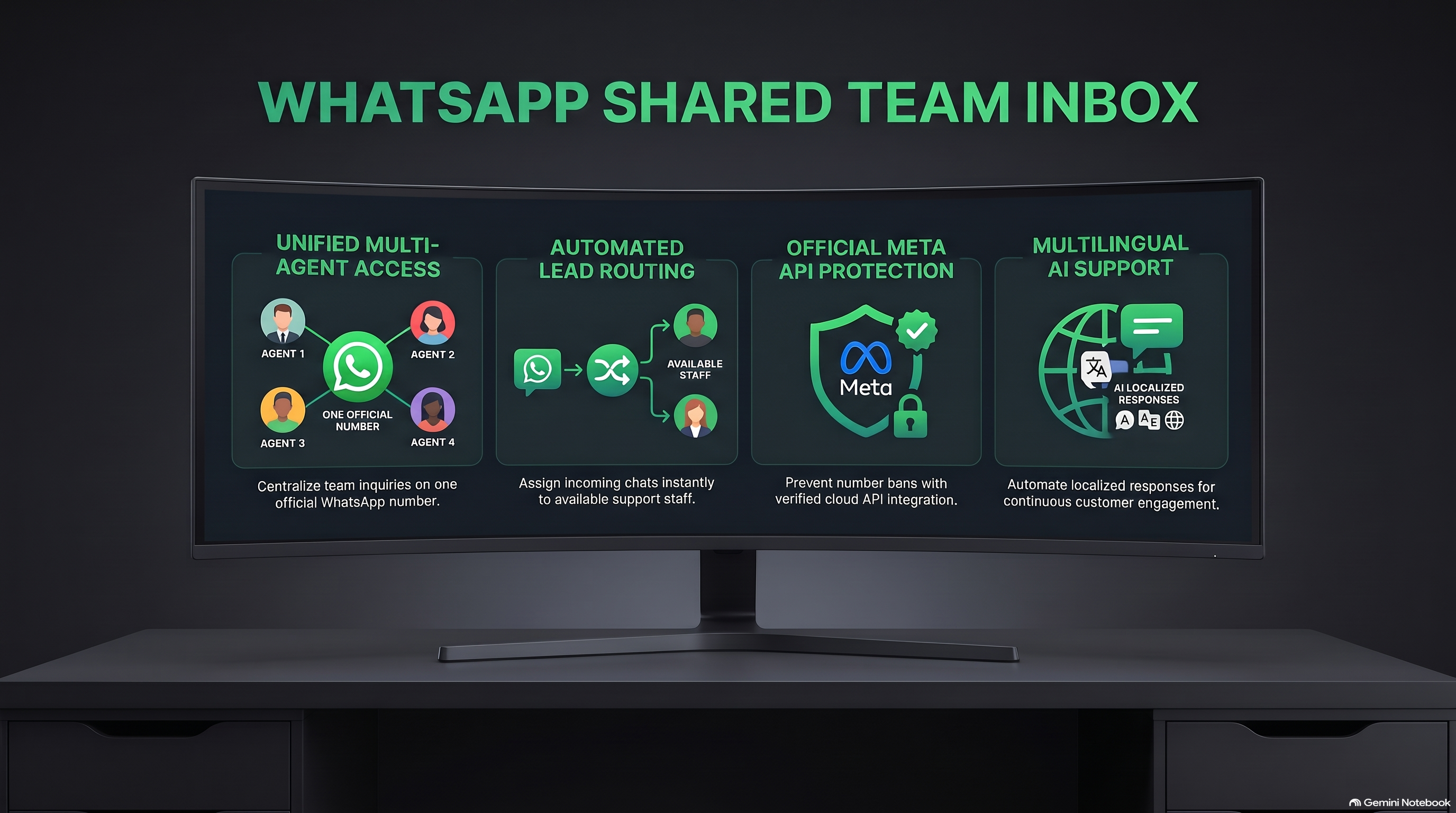
Quick Answer: What is a WhatsApp Shared Inbox?
A WhatsApp Shared Inbox is a collaborative web software interface that connects your company's official WhatsApp Business number to multiple team members simultaneously. Rather than passing a single office smartphone around or dealing with random WhatsApp Web disconnects, every sales and customer service agent logs into their own individual account. The platform provides automated lead assignment, collision warnings when two agents open the same chat, private internal notes, canned reply snippets, and complete manager oversight over response times and conversion metrics.
The 4 Hidden Costs of Unorganized WhatsApp Team Management
When Malaysian SMEs attempt to run sales teams using basic WhatsApp Web sessions or personal phone numbers, operational chaos inevitably follows:
-
1. Painful Customer Triage Delays
Without automated assignment rules, incoming customer inquiries sit unassigned in an open queue. Fast-moving prospects who need a quick quote wait 20 minutes because every agent assumes someone else is handling the message.
-
2. Contradictory Messaging & Pricing Blunders
Two sales executives accidentally reply to the same customer inquiry within seconds of each other. One agent offers a 10% holiday discount while the other insists on full price, eroding customer trust immediately.
-
3. Lack of Management Visibility & Accountability
Business owners cannot measure how many inquiries each sales agent closed, average first-response times, or why deals fell through. Operational data is trapped inside individual staff browser tabs.
-
4. Severe Business Vulnerability from Employee Churn
When an employee leaves your organization, you risk losing client contacts, ongoing quotations, and relationship records stored on their personal devices. A cloud shared inbox keeps all IP and customer records permanently secured in your corporate account.
Core Architectural Features of Chattalyst Shared Inbox
Chattalyst transforms your primary WhatsApp number into a high-efficiency team command center:
| Inbox Feature | How It Operates | Business Benefit |
|---|---|---|
| Real-Time Collision Detection | Visual banner alerts agents when a colleague is actively reading or typing in a thread. | Prevents duplicate replies and contradictory quotations. |
| Round-Robin Auto Assignment | Distributes new incoming leads equally across online sales agents according to active shifts. | Guarantees sub-60-second first response times and fair lead allocation. |
| Private Internal Notes & @Mentions | Staff leave yellow-highlighted internal comments visible only to team members, not the client. | Enables junior agents to consult seniors on complex custom quotes. |
| Canned Snippets & Macro Triggers | One-click insertion of verified FAQ answers, bank account details, and delivery guides. | Reduces repetitive typing fatigue and eliminates spelling errors. |
Configuring SLA Escalation Rules for Fast Customer Response
In competitive Malaysian markets, speed-to-lead determines win rates. With Chattalyst, you can enforce strict service level agreements (SLAs):
- First Response Warning (3 Minutes): If an assigned agent has not replied to a new lead within 3 minutes, the conversation card turns orange on the team supervisor dashboard.
- Automated Reassignment (5 Minutes): If 5 minutes pass without a response, the lead automatically returns to the general queue and is reassigned to the next available agent.
- AI Backup Triage: If all human agents are currently on active calls, Chattalyst AI steps in automatically to greet the lead, collect their requirements, and provide instant product brochures.
Step-by-Step Implementation for Malaysian Teams
- Connect WhatsApp Cloud API: Pair your corporate phone number in Chattalyst using Meta Embedded Signup or Coexistence Mode.
- Create Department Queues: Establish designated workspaces for Sales, Support, Billing, and VIP Accounts.
- Configure Routing Rules: Choose between Round-Robin distribution, Sticky Agent routing (leads always connect to their dedicated account executive), or Skill-Based routing.
- Pre-load Team Snippets: Populate standard replies in English, Bahasa Malaysia, and Mandarin for frequent queries like product catalogs, banking info, and warranty terms.
- Monitor Live Analytics: Track team performance metrics including Average Resolution Time, First Contact Resolution, and Customer Satisfaction (CSAT).
Frequently Asked Questions
Can team members access the shared inbox from their smartphones?
Yes! Chattalyst provides a responsive mobile web interface and progressive web app (PWA) so remote sales reps can answer assigned leads on the road while keeping conversation history inside the secure corporate CRM.
How many concurrent agents can we add to one phone number?
Unlike the WhatsApp Business App which limits you to 5 devices, Chattalyst supports unlimited agent seats on a single WhatsApp number.
Can agents see customer phone numbers if we want to protect client data?
Yes. Chattalyst features Phone Number Masking permissions, allowing support staff to chat with clients and solve tickets without seeing or copying raw personal contact numbers.
Does the shared inbox support multimedia attachments?
Yes. Your team can receive and send high-resolution photos, PDF quotations, voice notes, video clips, and location pins without compression artifacts.
How does the system handle messages outside of business operating hours?
Chattalyst's AI agent activates automatically after hours to answer inquiries, capture contact details, and schedule appointments on your calendar, handing over qualified summary briefs to human agents the next morning.